Competitions
Competitions are under Settings → Competitions (/utilities/competitions). They belong to the club and the selected season, grouped by echelon (age group). Games pick a competition and, when there is one, a series.
The images are screenshots of the app; athlete and club names and crests are blurred.
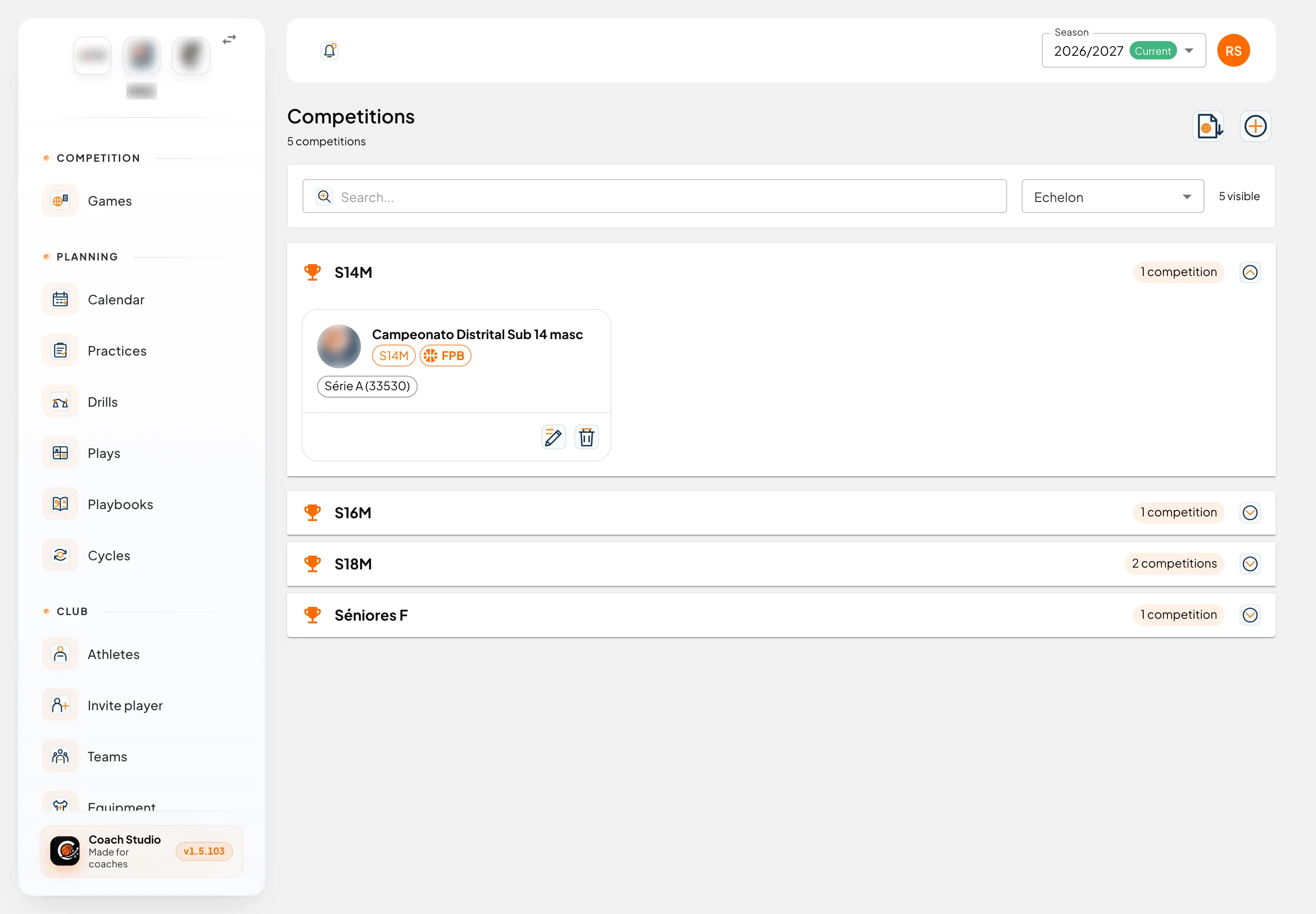
By default, administrator, director, coordinator, coach and team manager can view and edit. People who can only view do not get Add Competition, Import FPB, Edit or Delete. The club can change this in permissions.
A past season is read-only: the banner at the top of the app says only platform administrators can edit past seasons.
List
Search... filters by name, description, echelon and series name. The Echelon filter includes All echelons. Clear filters clears both. The number on the right is how many competitions are visible. These choices are not saved to your account: leaving the page resets them.
Each echelon is a section you open (the first one opens on its own). Inside, each competition is a card with the image or initials, the name, the echelon, the description and the series. If it has an FPB Competition ID, an FPB chip shows that id on hover. With no series, the card says No Series. With nothing to show, you see No data to display.
Editor
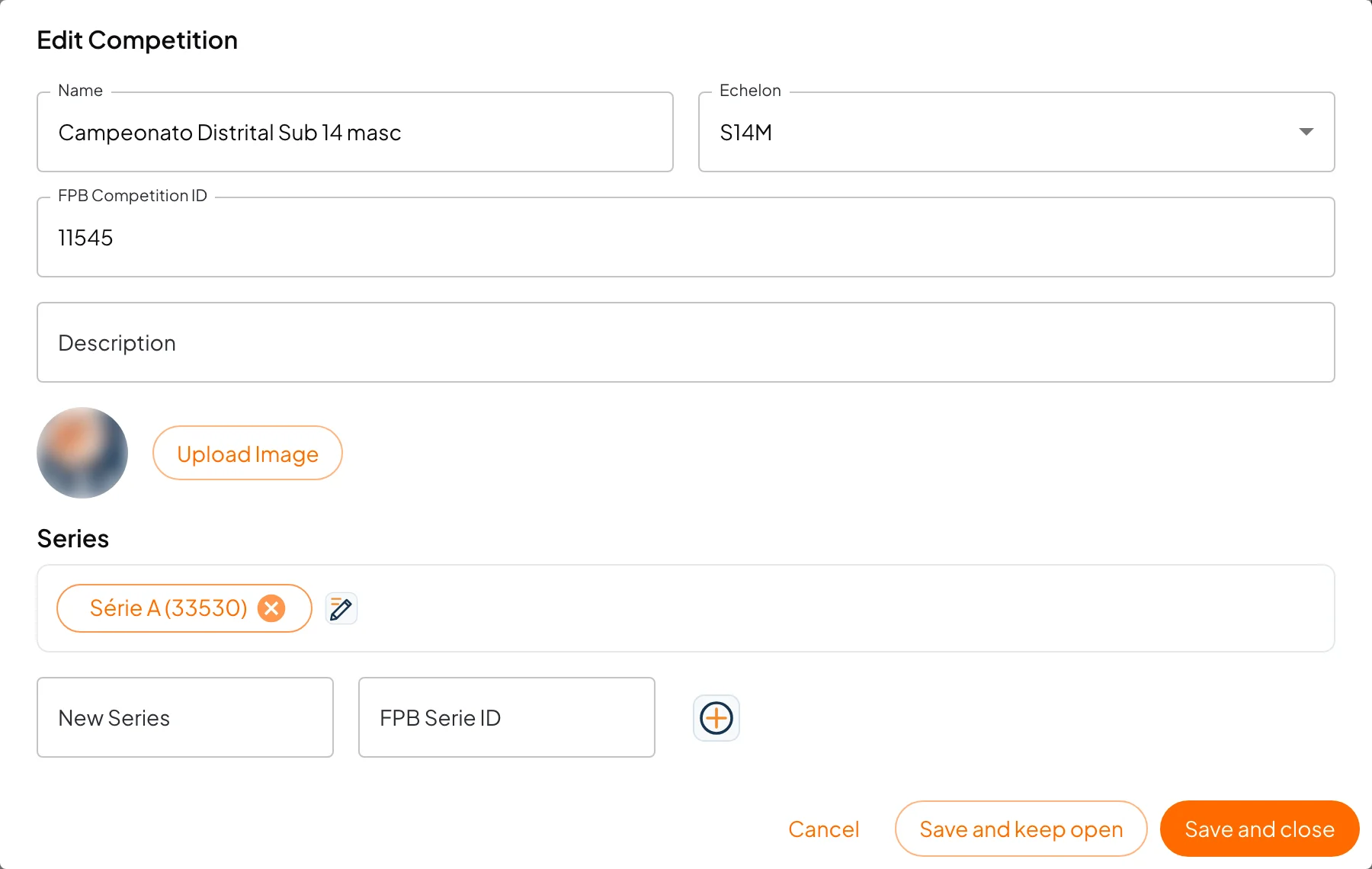
Add Competition or Edit opens Add Competition or Edit Competition.
- Name: required.
- Echelon: required. The list starts with Choose the echelon.
- FPB Competition ID: optional. Links the competition to the FPB website.
- Description: free text.
- Image: Upload Image.
- Series: each series is a chip with the name and, when set, the FPB id in brackets. New Series asks for the Series Name and, if you want, the FPB Serie ID; the + button adds it. If you type the name and press Save without +, that name is included too. Edit on a chip changes the name. Removing the chip and saving deletes the series.
Save and keep open saves and stays in the window; Save and close saves and leaves.
A series that already has games is not deleted. The save still goes through, and the warning says Could not remove that number of series because they still have linked games.
Warning
Delete asks Are you sure you want to delete? This action cannot be undone. and shows the name. Games in that competition are deleted with it. Series that only existed here go too.
!!!
Import from FPB
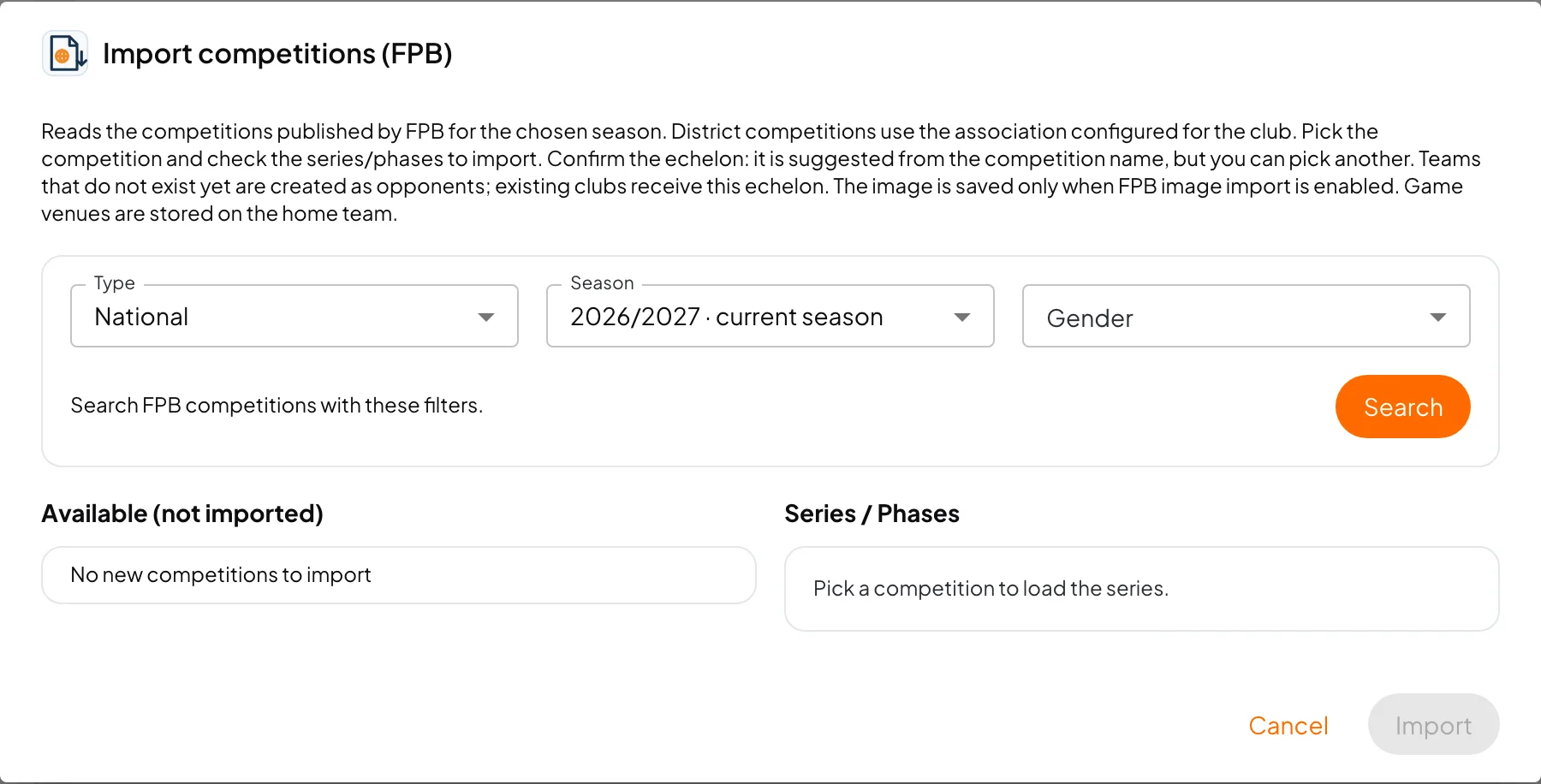
Import FPB only appears for people who can edit, and it does not appear for an association (those records are created by hand). The Import competitions (FPB) window explains what it does: it reads the competitions published by FPB for the chosen season; district competitions use the association configured for the club; you pick the competition and check the series or phases to import; you confirm the echelon (suggested from the name, but you can pick another); teams that do not exist yet are created as opponents, and an existing club receives this echelon; the image is saved only when FPB image import is on; game venues are stored on the home team.
- Type: National or Association.
- Season: the app's current season is marked current season.
- Gender: All, Male or Female.
- Search. The line underneath says to search FPB competitions with these filters.
Under Association you see the Club association. If the club has none, Club has no association configured sends you to Configure in club settings.
Available (not imported) hides competitions that already have the same FPB id. No new competitions to import when there is nothing new. Picking one loads Series / Phases. If FPB does not publish them, you see FPB did not expose any series/phases on this page and you can still import. When there are series, tick at least one (N selected). Echelon is required.
Import shows Import progress: saving the competition, importing each team (created as an opponent, or updated with this echelon), recognising your own club's team, and saving each game venue. At the end: Import completed successfully. If it fails part-way, the button becomes Import again.
If there is no permission to create opponents, the competition is still imported and the window says so. If FPB returns no teams for the chosen series, it says so too.
FPB doubts
Games the calendar import could not match land in FPB doubts (/utilities/fpb-game-doubts). It is not in the menu: the button is on the Games page, with a count when cases are waiting. Only people who can review these doubts see it: administrator, director, coordinator, platform administrator, or someone assigned as Team director this season. An association does not show the button.
The page is titled FPB game doubts. The text says these games came from the FPB calendar and could not be matched safely, and that you confirm the opponent, competition and series, or ignore the game.
Each card shows the date, your team, home and away, and the reason:
| Reason | Meaning |
|---|---|
| Could not tell which side is our team | FPB did not make clear which side is the club |
| Opponent not found | There is no matching opponent club |
| Opponent team not found | The club exists, but not the team in this echelon |
| Competition not found | There is no matching competition this season |
| Competition series not found | The competition exists, but not this series |
Then you pick Opponent (only teams in the same echelon), Competition and Series, and the Away switch. Confirm creates the game. Without an opponent and a competition, you see Choose the opponent and the competition. Ignore asks you to confirm: the game leaves this list and will not be imported automatically again.
With nothing left, you see There are no doubts to resolve.
Mobile app
Competition management and FPB doubts are not in the mobile app. On phone games, the competition name appears as a chip when the game already has one.