Echelons
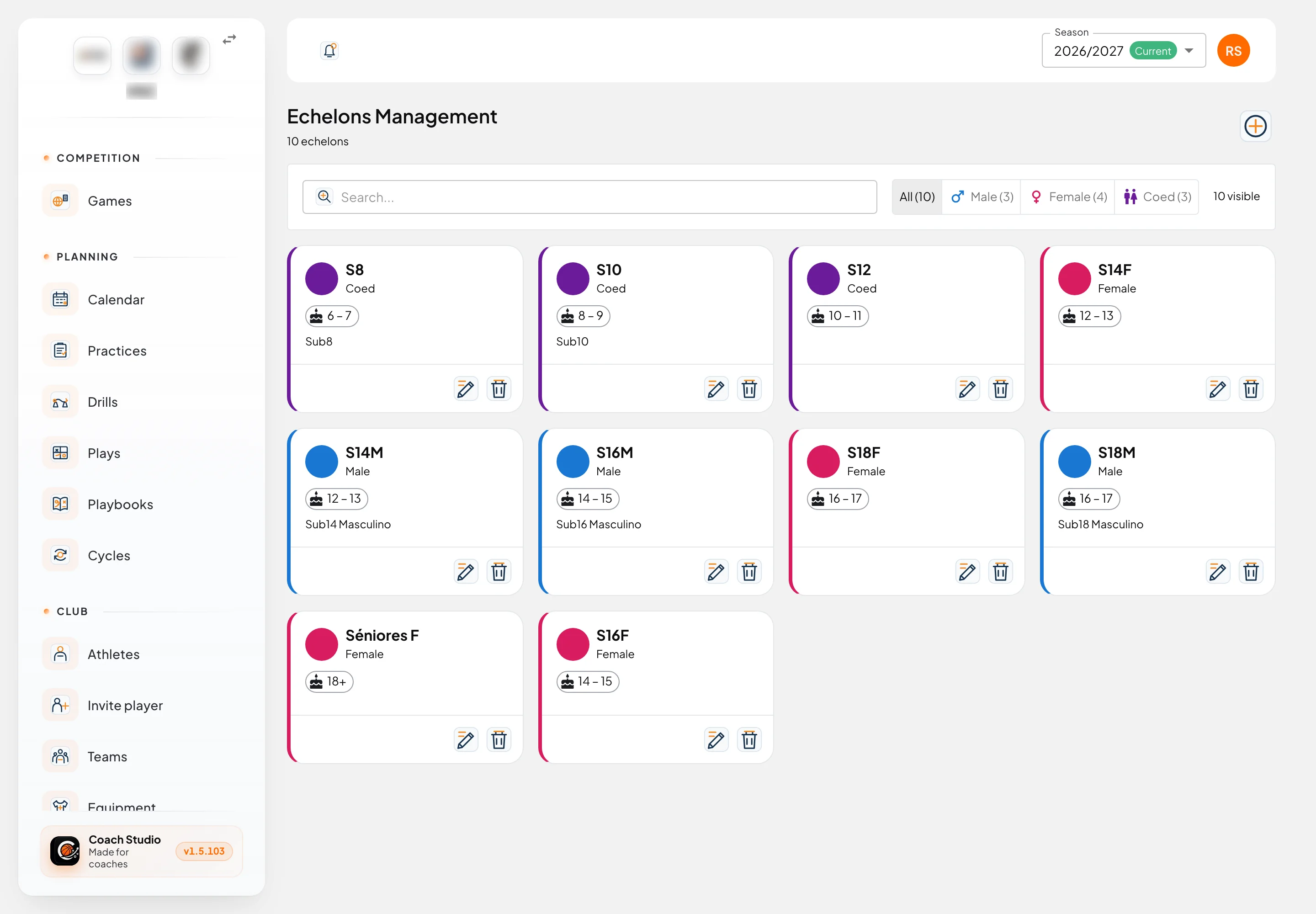
Echelons are under Settings → Echelons (/utilities/echelons). An echelon is an age group (U14, U16, and so on). The page is titled Echelons Management. They belong to the whole club: they do not change when you switch season. Each season's teams, competitions and equipment point at these same echelons.
The images are screenshots of the app; athlete and club names and crests are blurred.
By default, administrator, director, coordinator, coach and team manager can view. Only administrator, director and coordinator can create, edit and delete. The club can change this in permissions.
List
Cards are ordered by minimum age, then by name. Each one has a coloured bar, a gender icon, the name, the gender, the age band and the description.
The age on the card is a range, for example 12 – 14. With no maximum age it shows the minimum with a +, for example 18+. The tooltip is Age.
Search... filters by name and description. The buttons All, Male, Female and Coed show a count for each. Clear filters returns to All and clears the search. The number on the right is how many echelons are visible. These choices are not saved to your account.
With no echelons, you see There are no echelons in this club yet. If the filter matches nothing, No echelon matches the current filters.
Editor
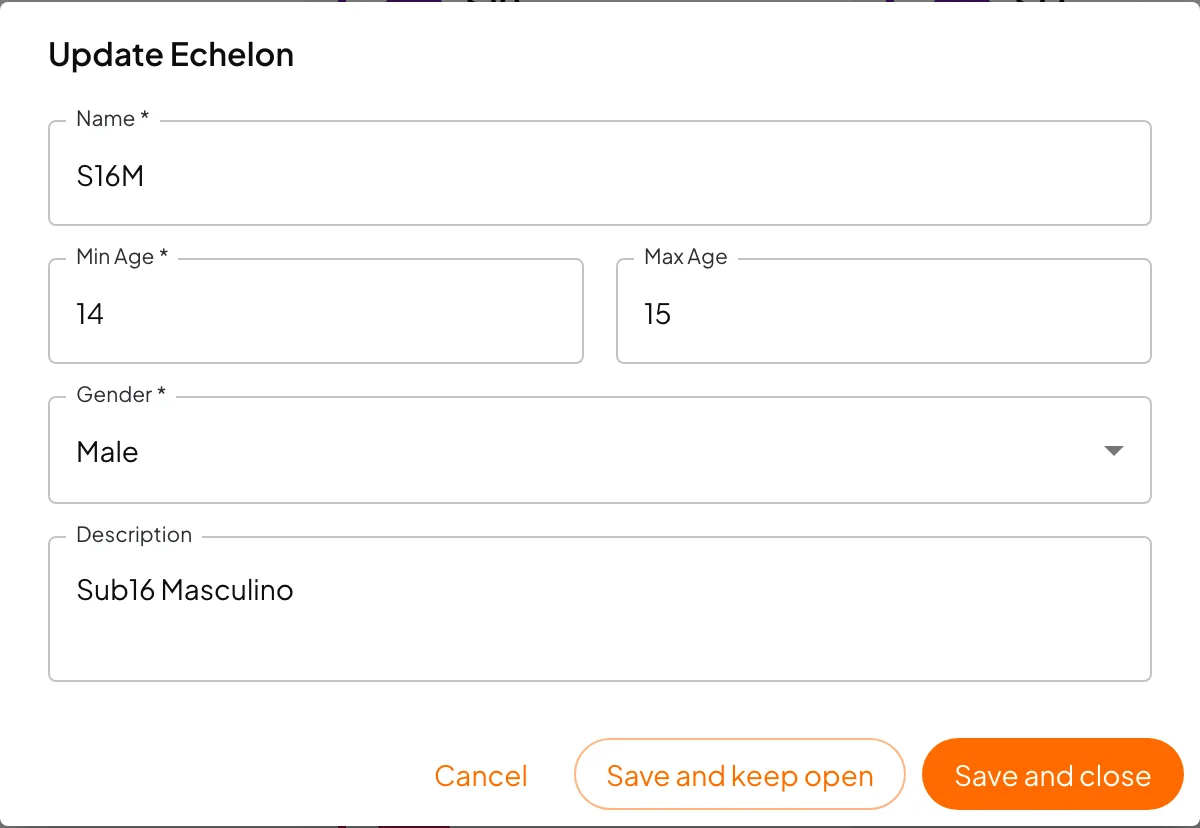
Add new echelon opens Create Echelon. Edit opens Update Echelon.
- Name: required.
- Min Age: required.
- Max Age: you can leave it empty.
- Gender: required. Male, Female or Coed.
- Description: optional.
If the name, minimum age or gender is missing, you see Missing required fields. Save and keep open saves and stays in the window; Save and close saves and leaves. The success message is Echelon created successfully, Echelon updated successfully or Echelon deleted successfully.
How age is calculated
The age that counts is the age on 31 December of the season's first calendar year. In the 2025/26 season (which starts in 2025) that is 31 December 2025. The birth month does not change the result: someone born in 2012 is 13 in that season, whether the birthday is in January or December.
An athlete fits the echelon when that age is between Min Age and Max Age, inclusive. With no maximum, the card shows the +, and matching runs up to 100. Coed accepts any gender. Male only accepts male, Female only female. An athlete with no gender on the profile fits all three.
The same calculation is used on the athletes list, on team rosters and on the equipment numbers grid.
Deleting
Warning
Delete only asks Are you sure you want to delete? This action cannot be undone. The echelon covers every season. If the delete goes through, it also removes that echelon's teams, competitions (and the games in those competitions), opponent teams, and equipment — colours and numbers. Drills stay, but with no echelon. If a game is still tied to an opponent team in this echelon, the delete fails.
!!!
Mobile app
There is no echelons screen in the mobile app. On phone teams you see the echelon name when the team has one.