Cycles
Cycles are under Planning → Cycles (/utilities/cycles). They plan the season on three levels:
| Level | Typical length | Example |
|---|---|---|
| Macrocycle | A phase of the season | Phase 1 — District league |
| Mesocycle | A few weeks | Competition — regular season |
| Microcycle | One week | Help defence |
Practices show which cycle they fall in and inherit the microcycle intensity. The calendar shows the month's microcycles above the days.
The images are screenshots of the app; athlete and club names and crests are blurred.
Overview
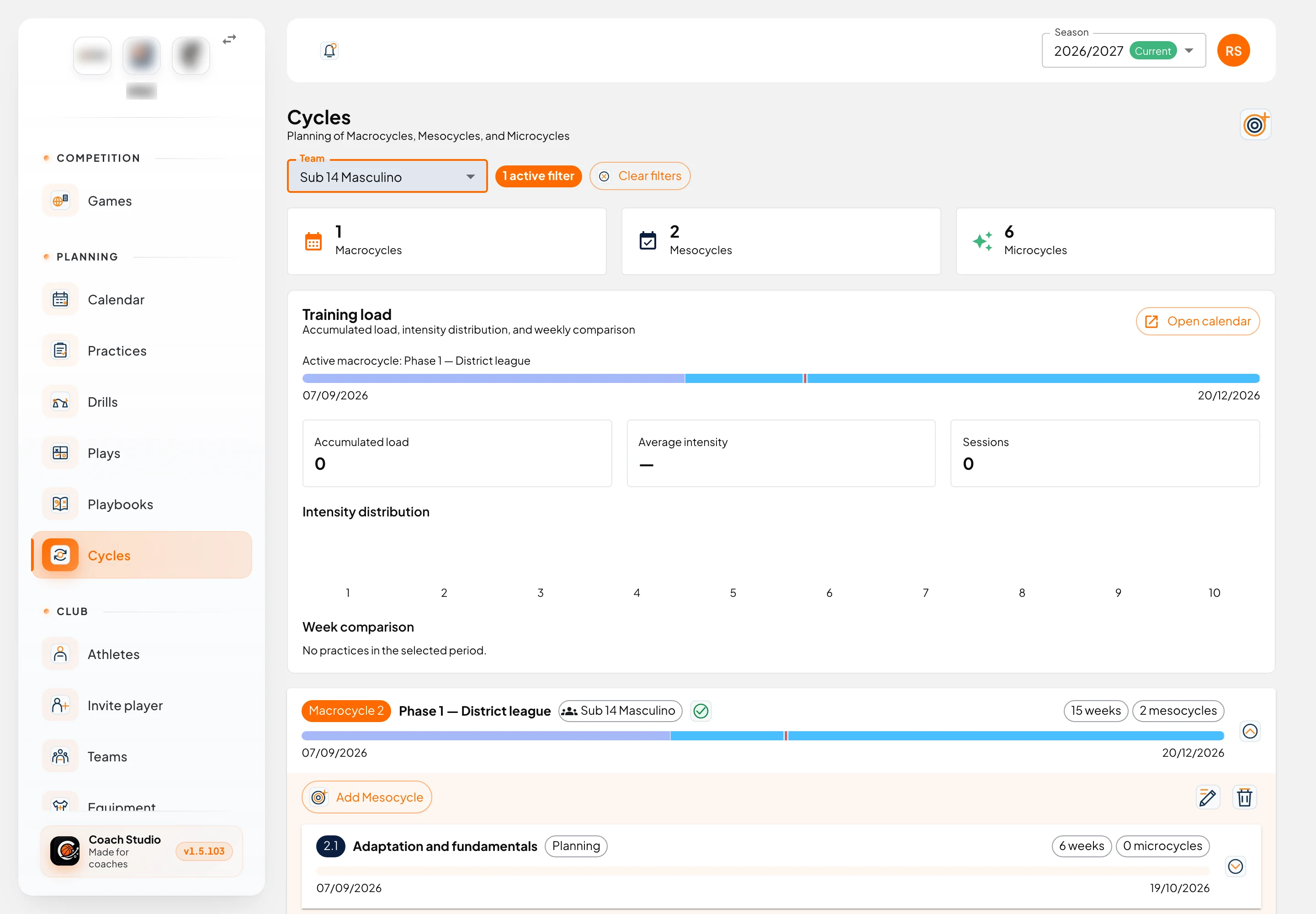
- The Team filter appears when there is more than one team. Your choice is saved to your account.
- The three cards count the season's macrocycles, mesocycles and microcycles.
- The button in the right corner creates a new macrocycle.
Training load
With a team selected, the Training load panel shows the active macrocycle and, from the practices already done:
- Accumulated load (intensity × minutes), average intensity and number of sessions;
- Intensity distribution, from 1 to 10;
- Week comparison.
Open calendar goes to that team's calendar. With no practices in the period, the values stay at zero.
Cycle tree
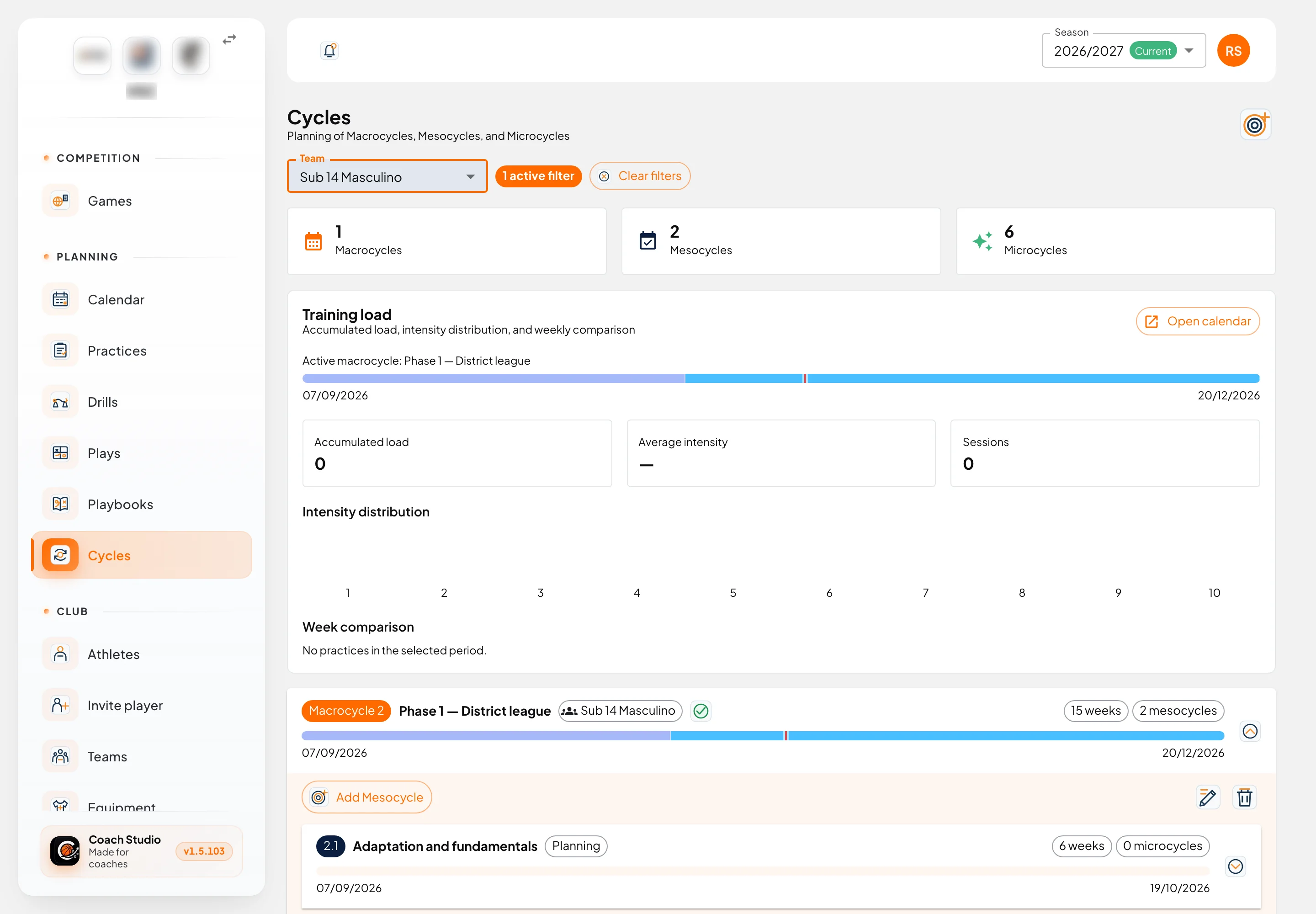
Each macrocycle is a block that opens and closes. Inside are its mesocycles and, inside those, the microcycles.
- The coloured bar is the timeline, with today marked. Microcycles show as segments in different colours.
- The green tick marks the current cycle.
- The chips show the number of weeks, of mesocycles or microcycles, and of planned sessions.
- The Planning chip means the cycle already has objectives filled in.
- Add Mesocycle and Add Microcycle create the next level, with suggested dates.
- On each row: the eye opens the details, the pencil edits and the bin deletes.
Creating and editing
Macrocycle
Team, start and end are required; the dates must be inside the season. Optional: name and notes.
Mesocycle
Name, dates (inside the macrocycle) and the planning:
- Main objectives
- Offensive tactics and defensive tactics
- Individual offensive and defensive technique
- Physical plan
- Observations
Microcycle
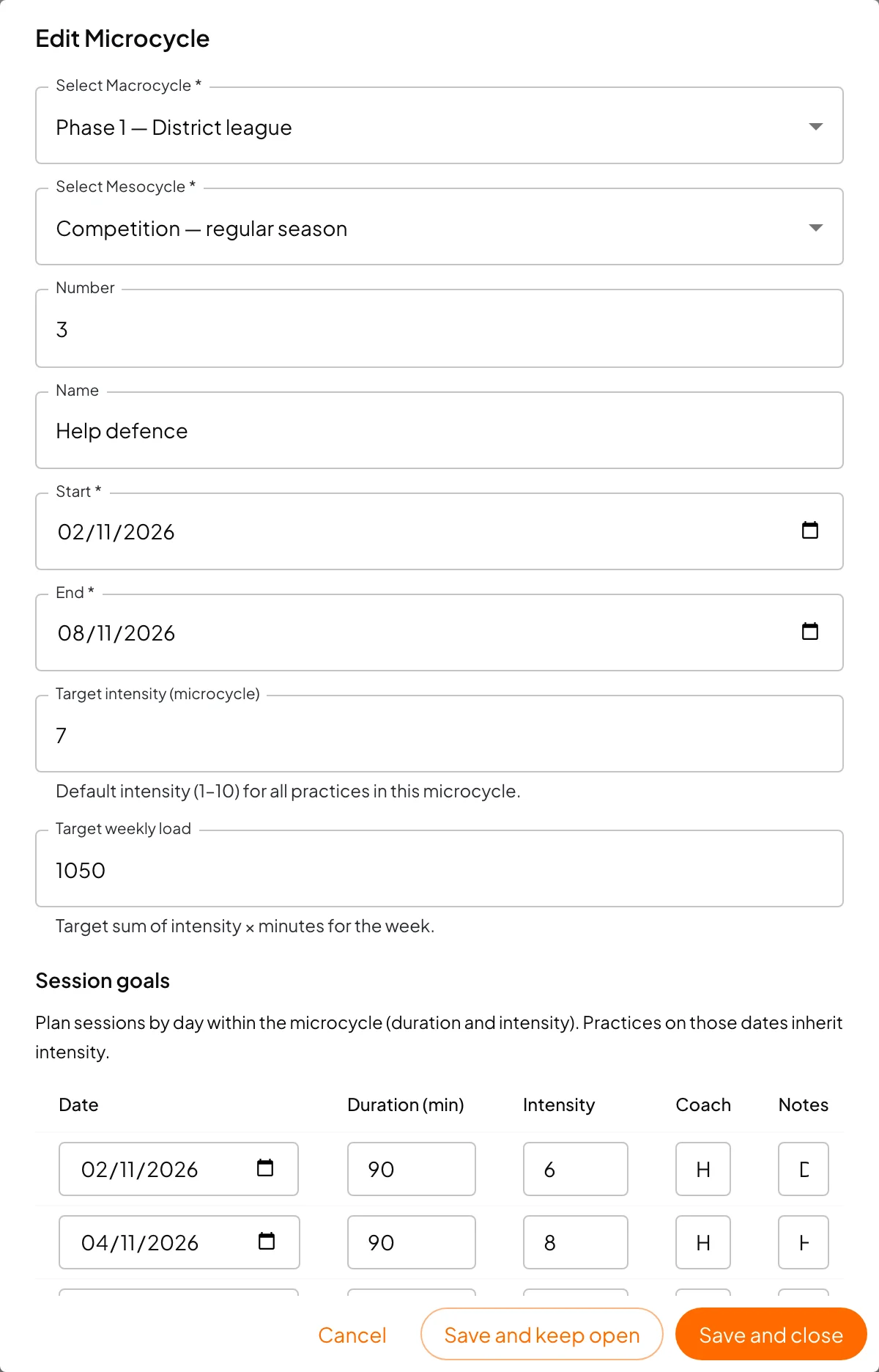
Besides the macrocycle and mesocycle it belongs to, the number, name and dates (inside the mesocycle), it has:
- Target intensity (1 to 10): the default intensity for every practice that week.
- Target weekly load: the sum of intensity × minutes you want to reach that week.
- The same planning as the mesocycle.
Under Session goals you plan the week's practices day by day: date, duration, intensity, coach and notes. Only rows with a date and a coach are saved. A practice on that date inherits the goal's intensity and can no longer change it.
Microcycle details
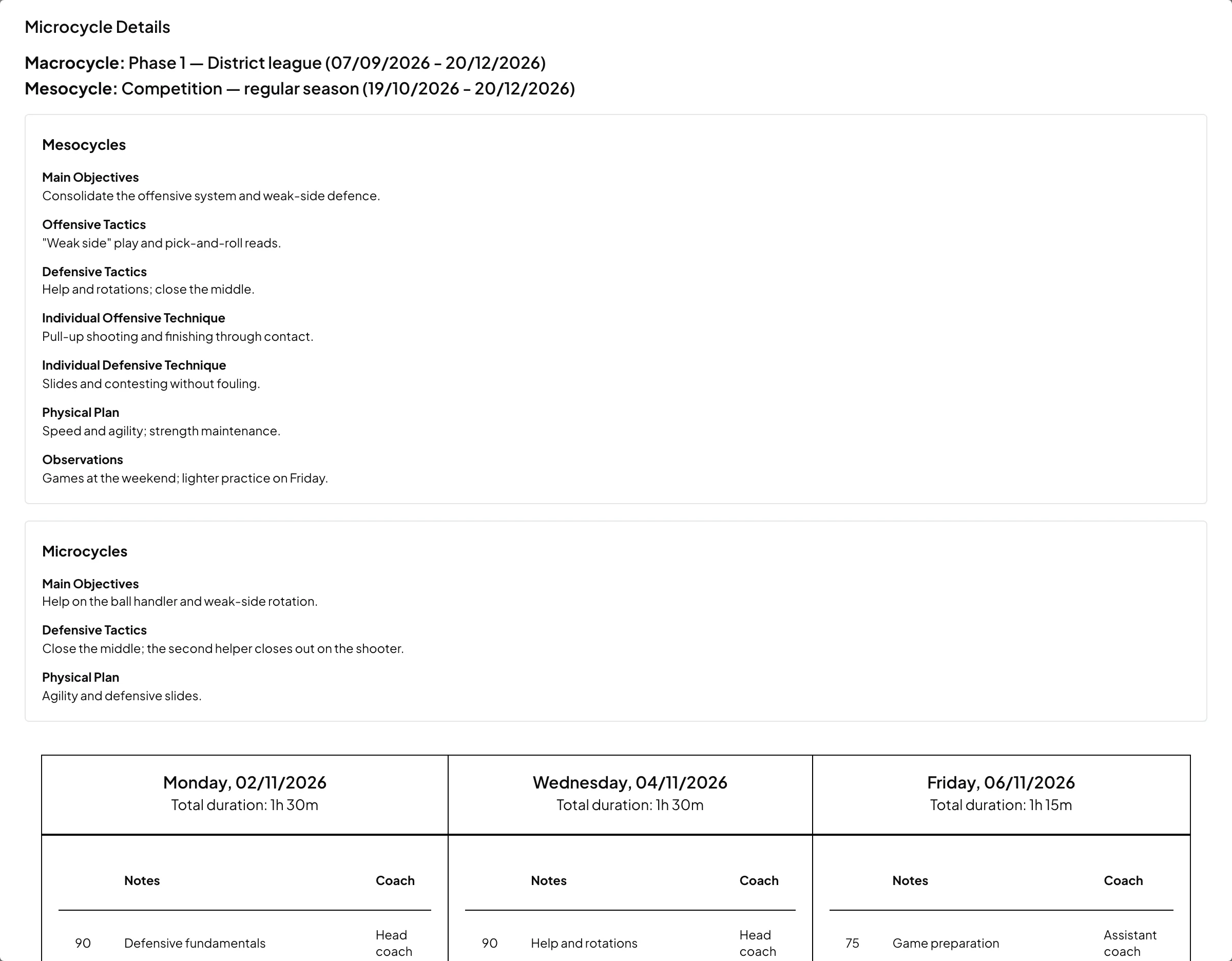
The eye on a microcycle opens its details: the macrocycle and mesocycle with their dates, the mesocycle and microcycle planning, and a table with each day's session goals (total duration, minutes, notes and coach).
Deleting
- Deleting a macrocycle also deletes all its mesocycles and microcycles. The app asks for a strong confirmation.
- A mesocycle that still has microcycles may refuse to be deleted; delete the microcycles first.
- Practices are never deleted. They link to cycles by date: with no cycle on that date, the practice stops showing a cycle and inheriting its intensity.
Mobile app
In the mobile app you can view macrocycles and reports, read-only. Creating and editing are done on the web.