Drills
Drills are under Planning → Drills (/utilities/drills). This is the club library: each drill has a description, goals, variations, equipment and court graphics. You then use drills in the practice plan and as breakdowns of plays.
The images are screenshots of the app; athlete and club names and crests are blurred.
Library
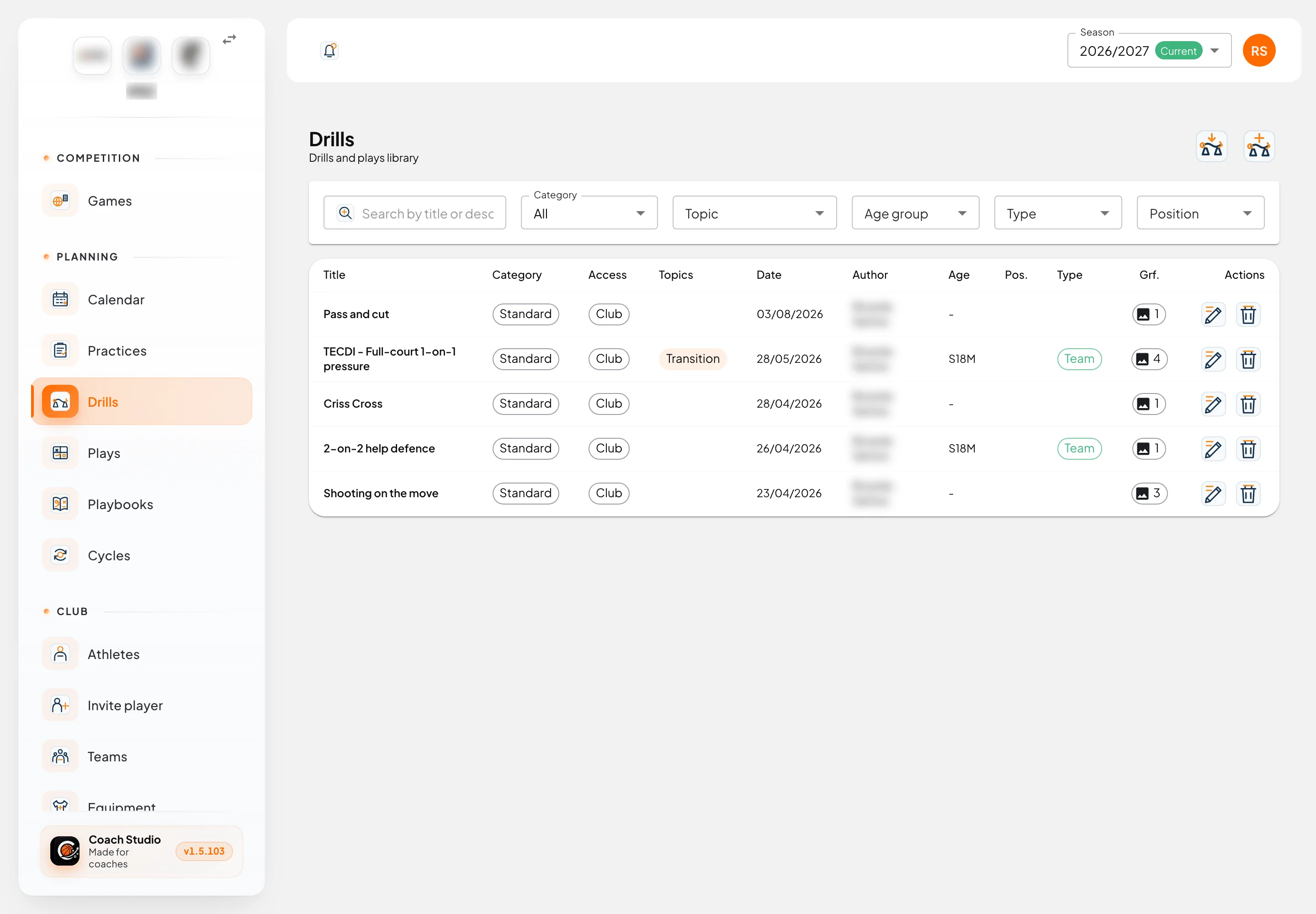
Filters are saved to your account:
- Search by title or description.
- Category: All, Standard or Breakdown (drills that break a play into parts).
- Topic, Age group, Type and Position.
The table shows the title, category, access (sharing), topics, date, author, age group, position, type and number of graphics.
The two buttons in the right corner are:
- Import from FIBA Europe: paste the address of a drill from the FIBA Europe Coach section (it must contain
drillID). The text and graphics are imported. The same drill cannot be imported twice into the same club. - New Drill: asks for the title and sharing and opens the editor.
Drill editor
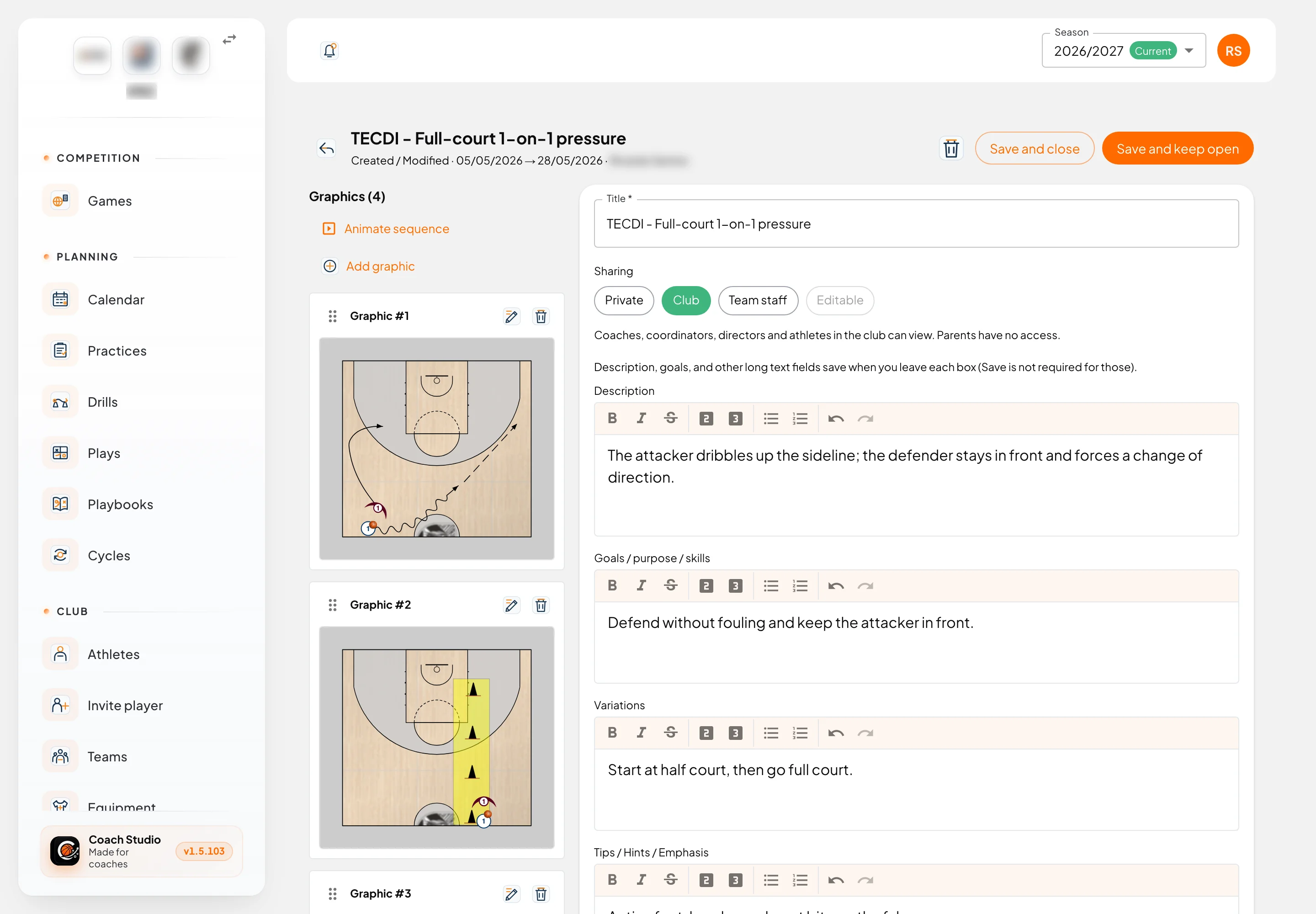
The graphics are on the left; the drill data on the right. Long texts (description, goals, variations, tips) save automatically when you leave the box. The other fields are saved with Save and keep open or Save and close.
| Field | Purpose |
|---|---|
| Title | Drill name |
| Sharing | Who can view and edit (see below) |
| Age group | Target age |
| Description | How it works |
| Goals / purpose / skills | What it trains |
| Variations | Progressions and alternatives |
| Tips / Hints / Emphasis | What to correct and what to reward |
| Default text for your Practice Plans | Text added to the block when the drill goes into a practice |
| Equipment | Balls, baskets, cones, other; number of players and coaches |
| Type, Position, Topics | Fundamental, individual or team; guard, forward or center; themes to filter by |
Sharing
| Option | Who can view |
|---|---|
| Private | Only the author and club leadership |
| Club | Coaches, coordinators, directors and athletes in the club (not parents) |
| Team staff | Only people linked to the selected team and season |
| Editable | Added to "Team staff": that team's staff can also edit |
Only the author edits the drill, except with "Editable". Deleting is for the author or an administrator. People who can only view get Make a copy to edit, which creates your own copy.
Graphics
- Add graphic opens the court editor.
- Drag by the handle to reorder; the pencil edits and the bin deletes.
- Animate sequence plays the graphics one after the other, like an animation.
- You can also download all graphics at once.
Court editor
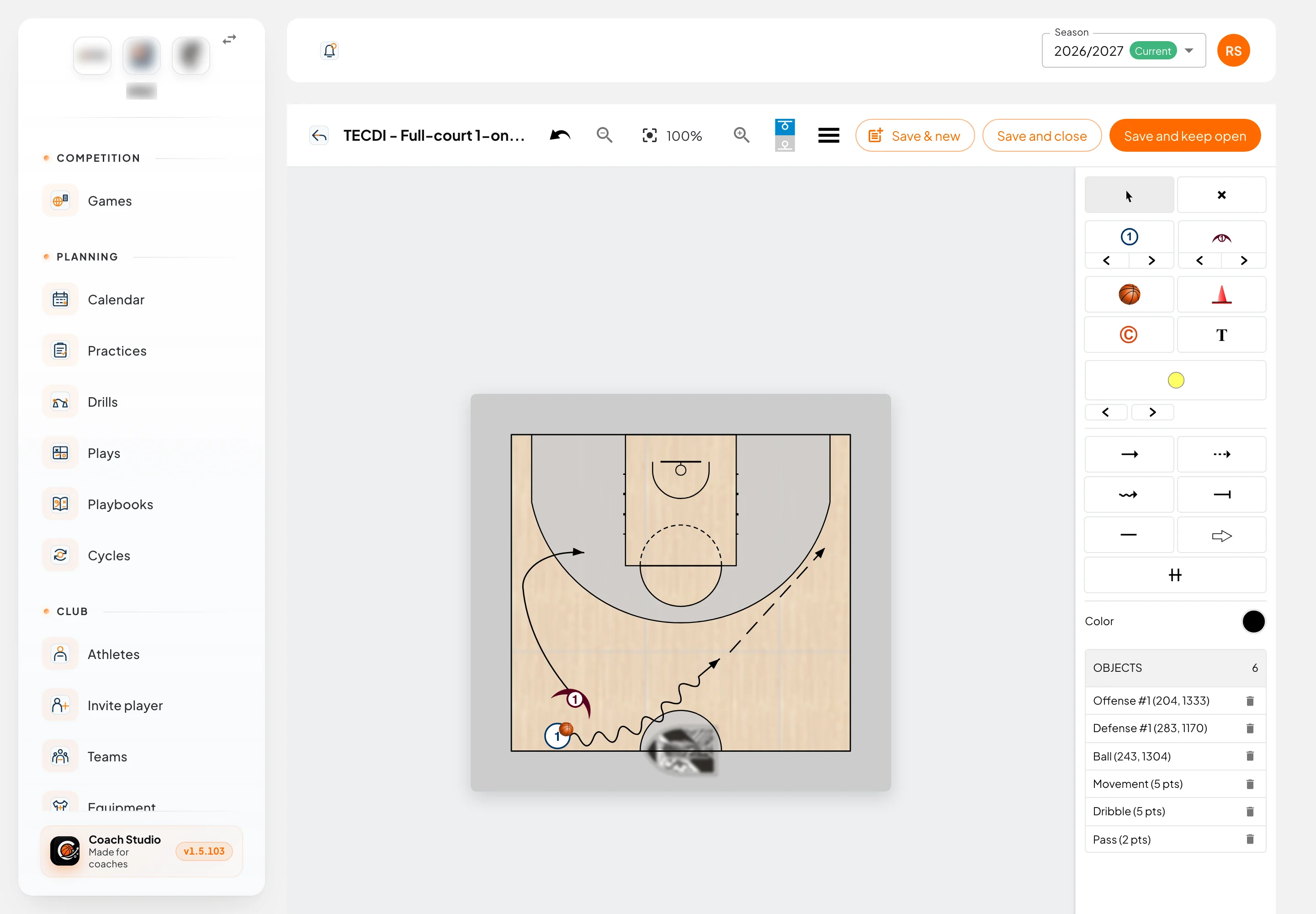
The same editor is used for drills and plays.
Tools (right panel):
| Tool | Use |
|---|---|
| Select / Erase | Move objects / delete with one click |
| Offense / Defense | Numbered players; the arrows change the number |
| Ball, Cone, Coach, Text | Simple objects |
| Area | Shaded zone (circle, square or triangle) |
| Movement, Pass, Dribble | Cut lines, passes (dashed) and dribbles (wavy) |
| Screen, Line, Shooting, Handoff | The remaining lines |
Pick the colour before drawing. The Objects list shows everything on the court and lets you delete each object.
Top bar: undo, zoom, half or full court, menu (colours and SVG download), and the save buttons:
- Save & new saves and creates the next graphic with the players and ball already at the end of their lines. It is the quick way to build a sequence.
- Save and close saves and goes back to the drill.
- Save and keep open saves and keeps editing.
Mobile app
The drill library is not in the mobile app yet.